Six steps, once. After that, ask Claude for a night out on any device and the jar lands in the app.
The full app, and a computer — Claude only offers connector settings on web and desktop. It works on your phone once connected.
Paste this into Claude in the next step. It's the same for everyone.
https://date-night-jar-mcp.datenightjar.workers.dev/mcp
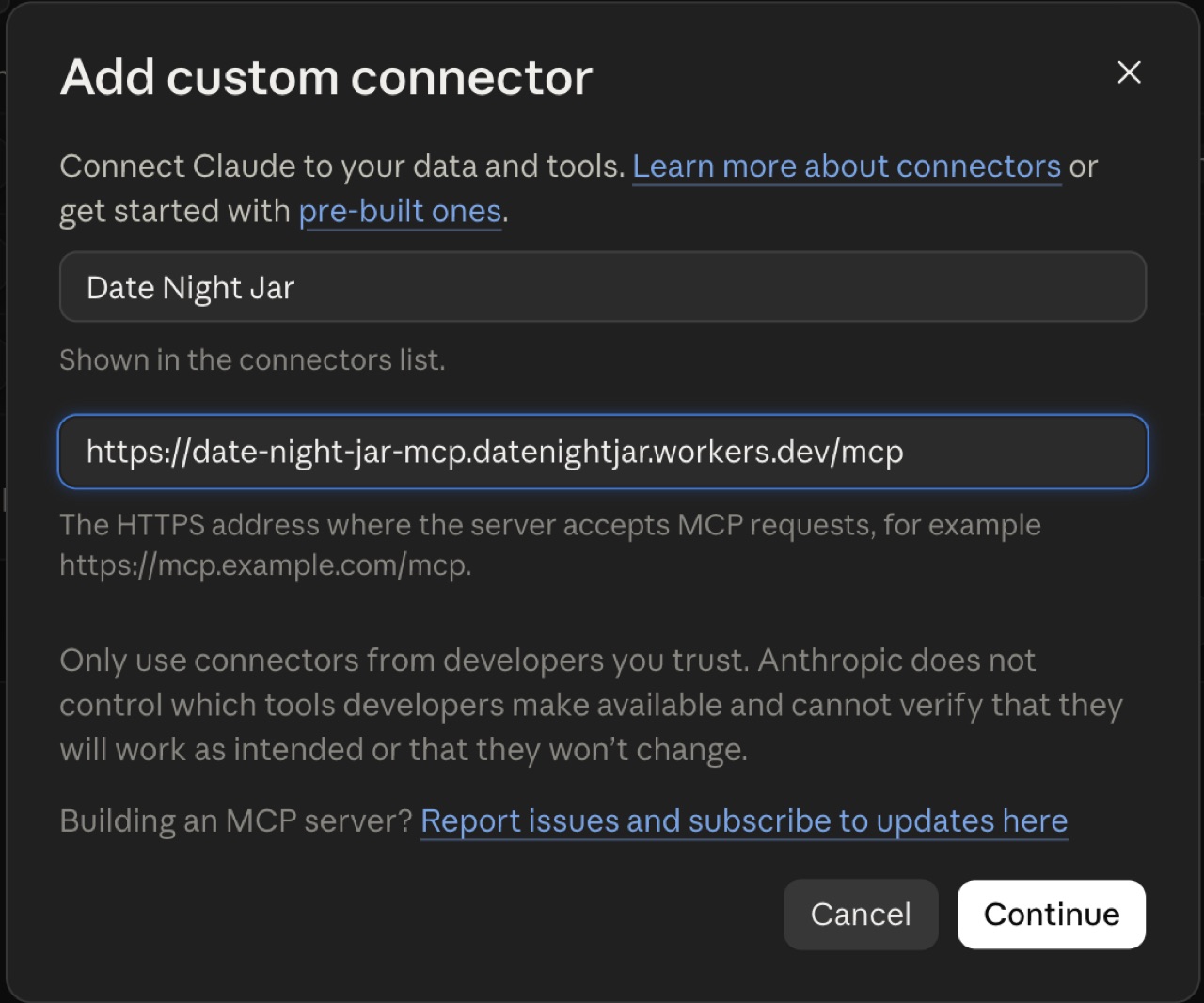
Settings → Customize → Connectors → Add custom connector, or use the button below.
Name it Date Night Jar. Paste the URL from step 1 into the second box. Click Continue.
Open Claude connectors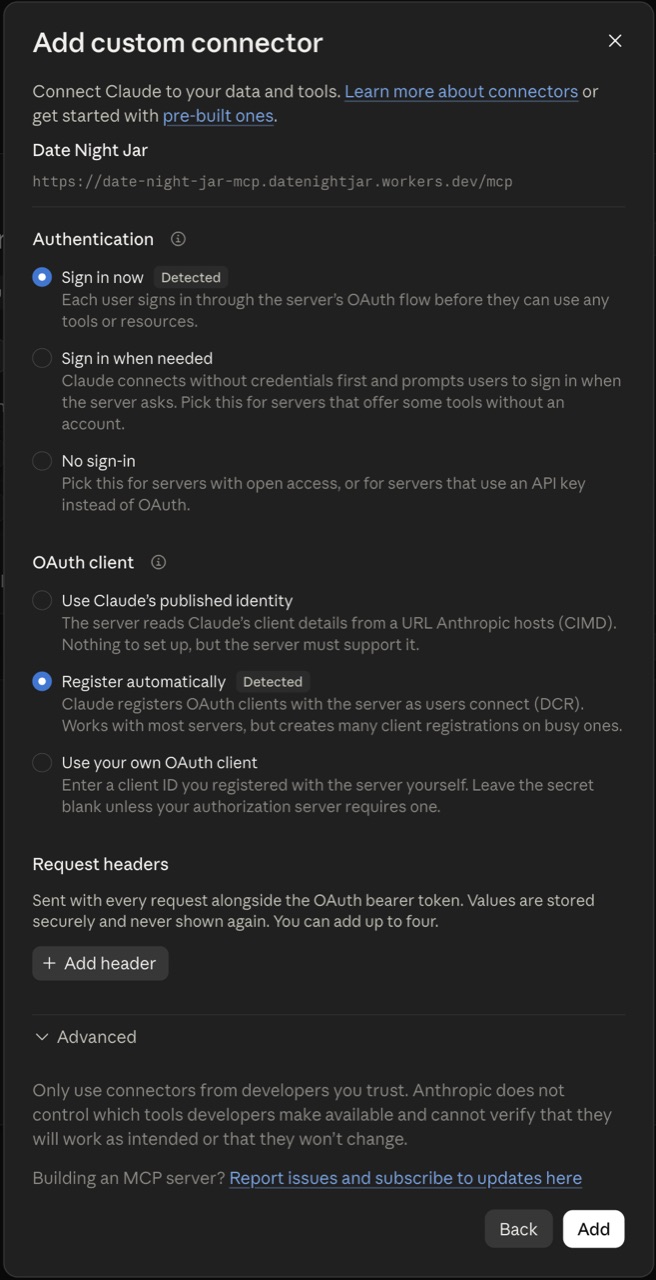
Change nothing. The two options marked Detected are already correct, and Request headers and Advanced don't apply.
Click Add.
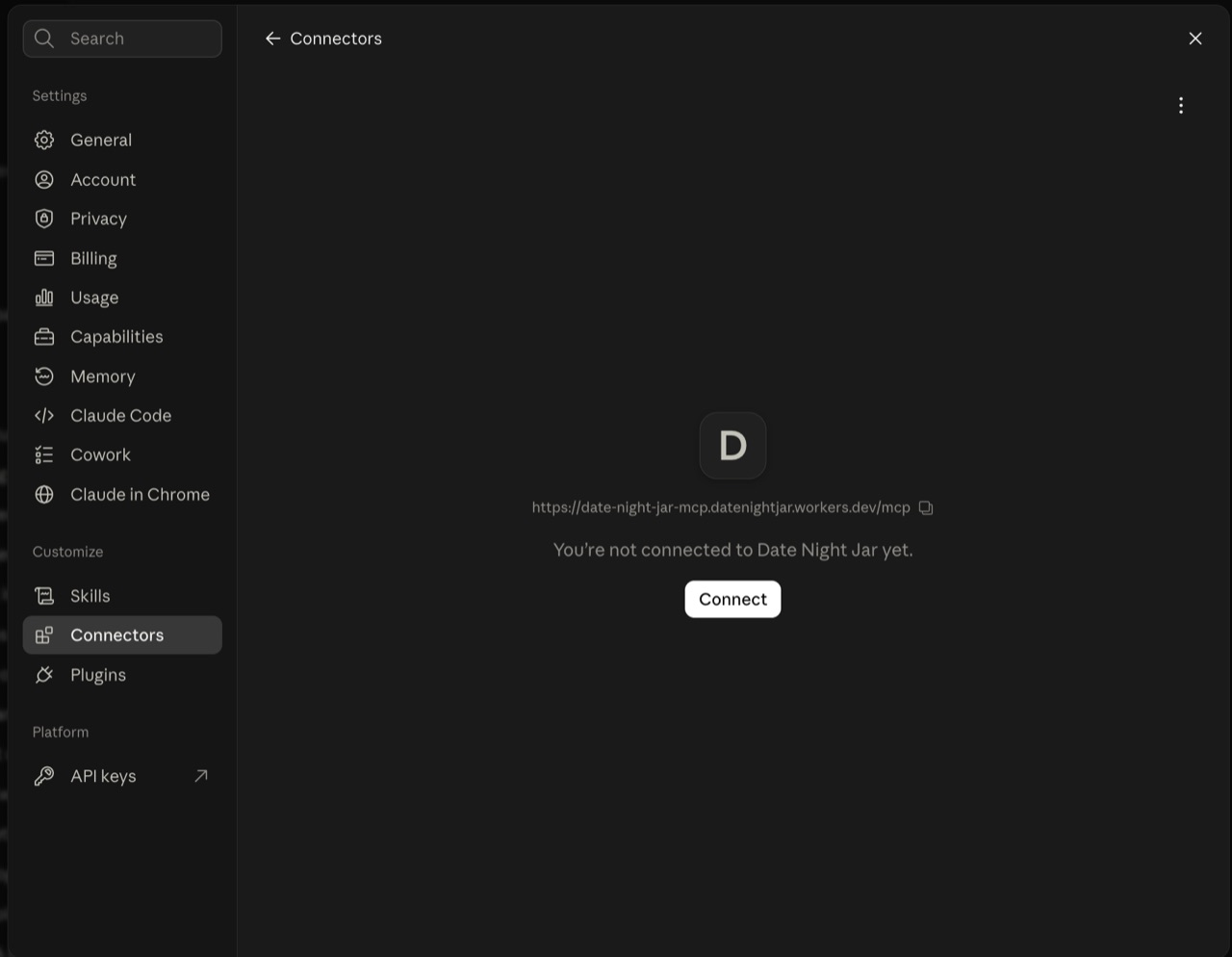
"Not connected yet" is expected — the connector exists but isn't linked to your account. Click Connect.
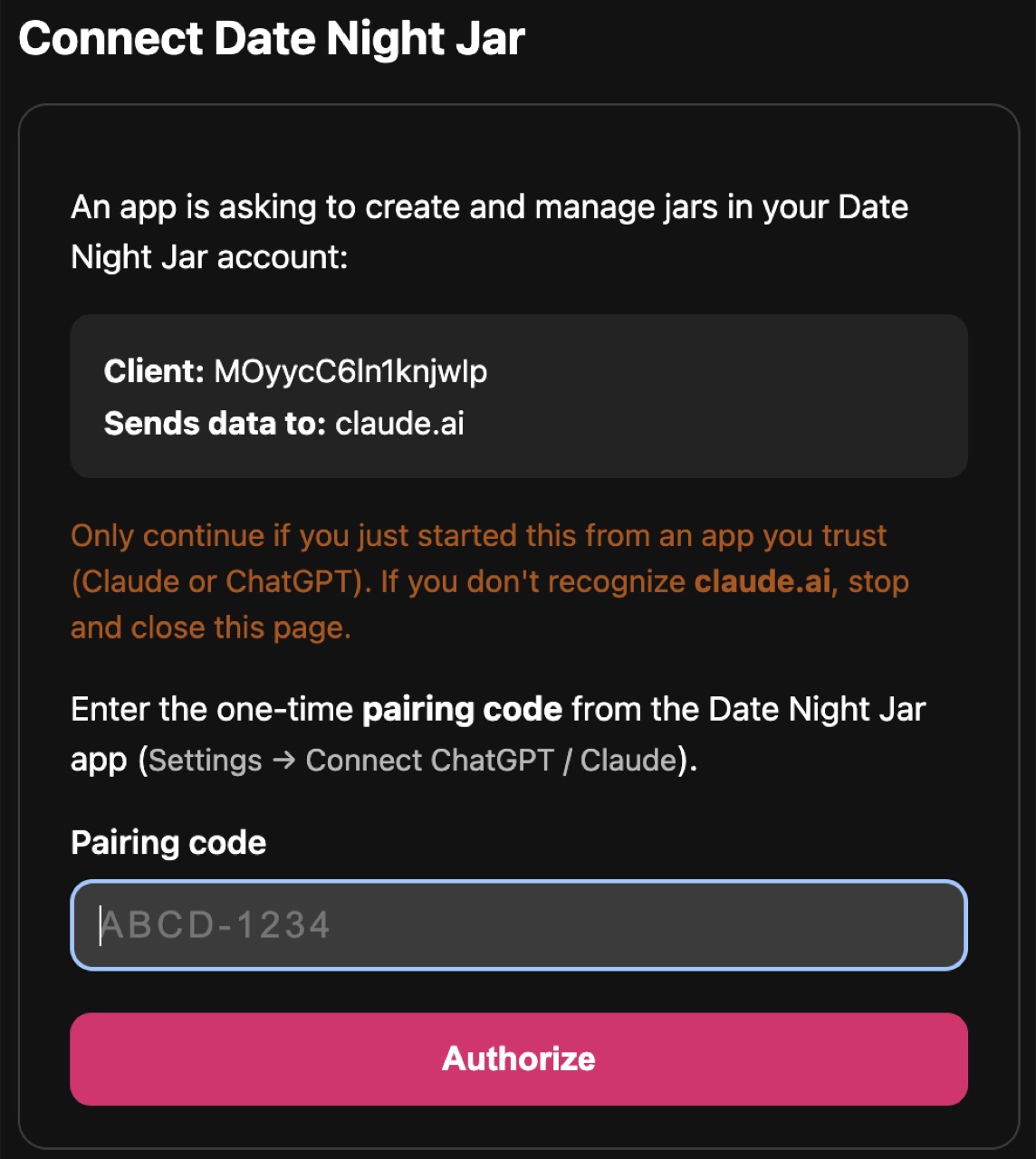
Check Sends data to says claude.ai. If it doesn't, close the page.
Leave it open and pick up your phone — codes last ten minutes, so generate one only now.
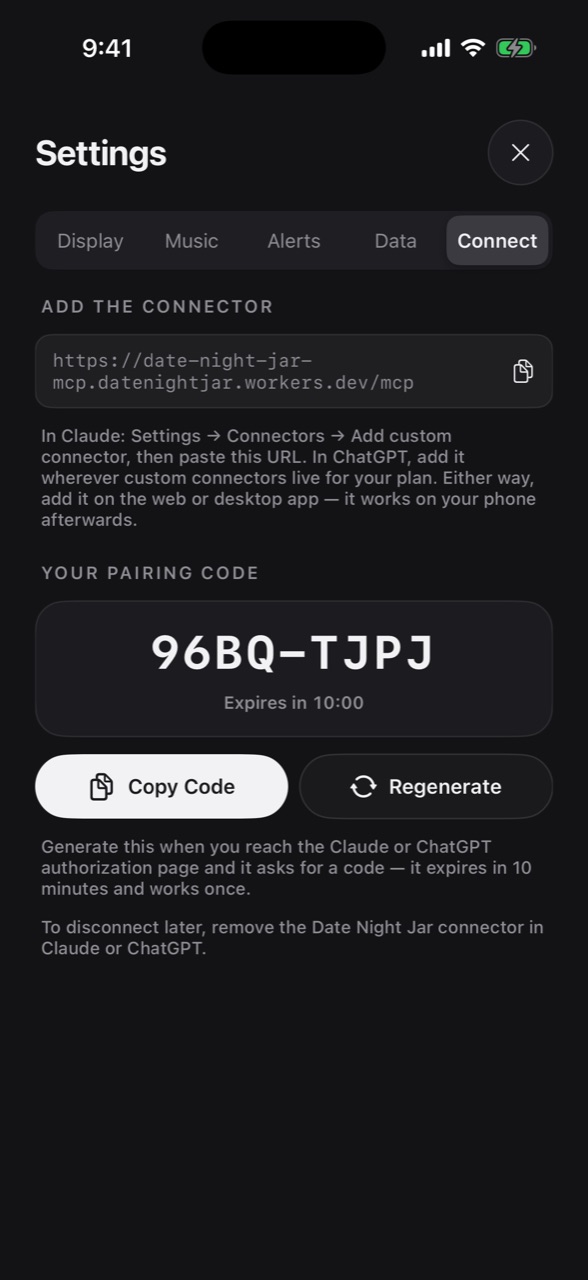
In the app: Settings → Connect → Get a Pairing Code. Type it into the page from step 5 and choose Authorize.
Codes work once and expire after ten minutes. If yours runs out, tap Regenerate — nothing else needs redoing.
Ask Claude for something like "a jar of rainy Sunday dates in Melbourne under $40". It builds the jar in your account and hands back a link that opens it in the app.
Claude can only create — a jar, or a single idea that waits in the app until you file it. It can't read, change or delete anything already in your jars.
Something not lining up? The main connect page has the common snags, or email [email protected] and say which step stopped you.